
RideStyler eCommerce gives you all the tools you need to manage your orders. As orders come in, you can view details, make changes and run reports.
Viewing Existing Orders
Sign into your eCommerce administrator panel. In the left-hand menu, navigate to Sales > Orders.

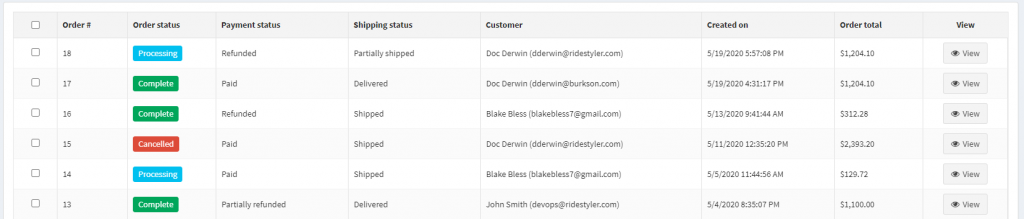
On the Orders page, you’ll see a list of all existing orders. You can quickly review their statuses, shipping information, customer and transaction amount.
- Payment Status shows whether a payment is processing, paid, or refunded.
- Shipping Status displays whether the order has been shipped, partially shipped, delivered, or is waiting for shipment. See the Managing Shipments section for additional information on managing shipment statuses. See the “Creating and Managing Shipments” section for more details on shipments.
Order Details & Changes
If you want to view more details or make changes to an order, you can click “View” on the order.
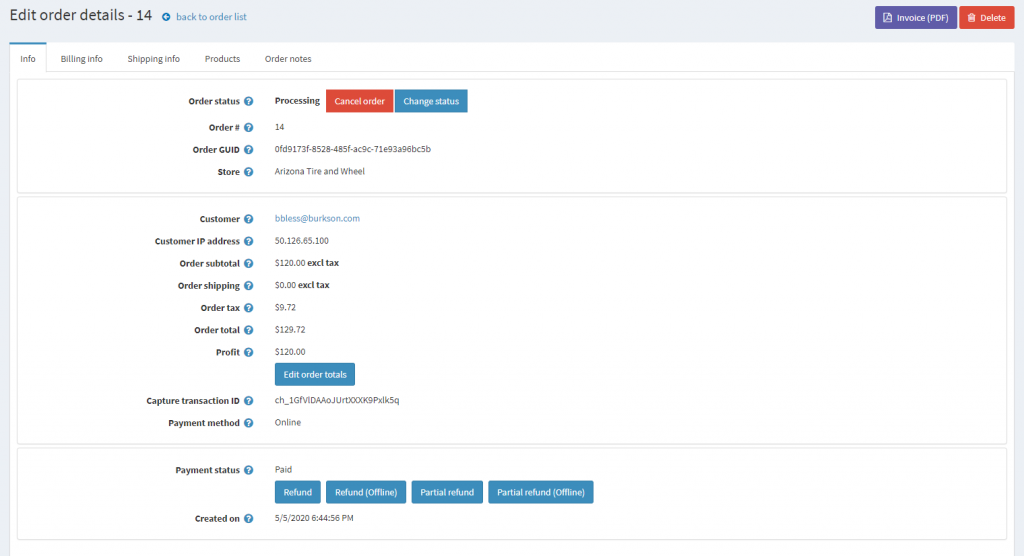
- Order Status – The order status updates automatically when shipments are created and delivered.
- Order Totals – From here, you can adjust the funds and total cost to the customer.
Refunding an Order
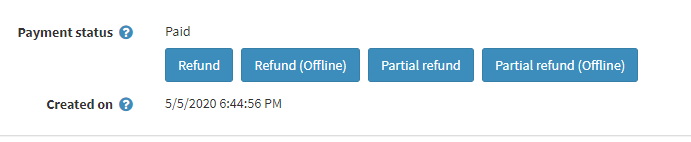
There are several available methods to refund a customer’s order, all accessible from the Order Details screen. To learn more about these options, read about Refunding Orders.
Additional Order Information
On the Order Details screen, there are a few additional tabs where you can view other information about the order.

- Billing info: Customer Billing information will be provided when an order is placed. It can be edited manually if necessary.
- Shipping info: This will display the customer’s shipping information as well as relevant shipments. From here, you can create a new shipment for an order. Read the “Creating and Managing Shipments” article for more information on order fulfillment.
- Products: This tab allows you to edit the quantity of products in an order or add additional products.
- Order notes: Order notes provide a historical log of actions that have been taken with an order. From this tab you can add custom notes or attachments or delete old logs.